Welcome to the Kitabcom Teacher Program
Everything you need after your application is approved, in four steps.
1 What You Received on WhatsApp
Your Personal Key
T-XXXX-XXXX
- Yours alone: don’t share it.
- Unlocks the full app for free.
- Works on two phones only.
Your Family Code
MONA25
- For parents: give it to all your students’ parents.
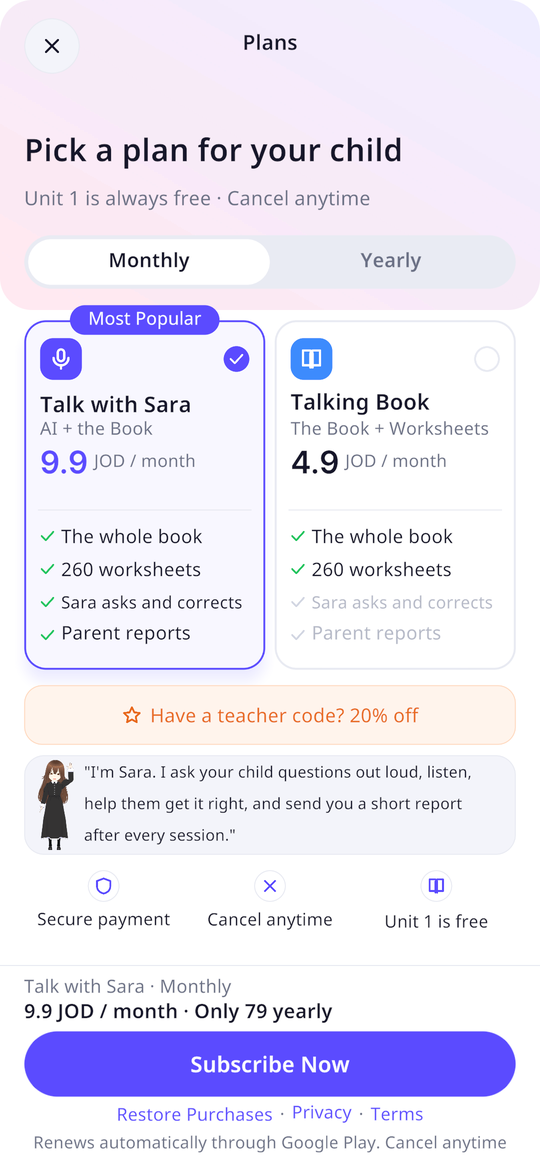
- It gives them 20% off their first subscription.
- And you earn 20% of every payment they make.
2 Unlock the Full App with Your Key
Install the Kitabcom app from Google Play (the app page), then:
- 1
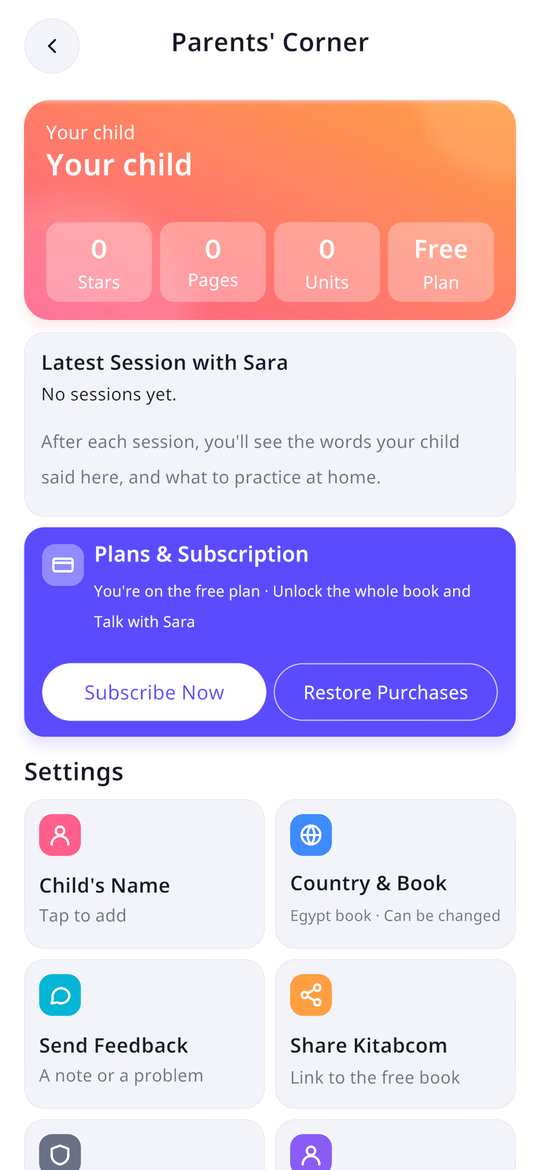
Open the Parents’ Corner
From the app’s home screen, open the Parents’ Corner from the menu at the top.
- 2
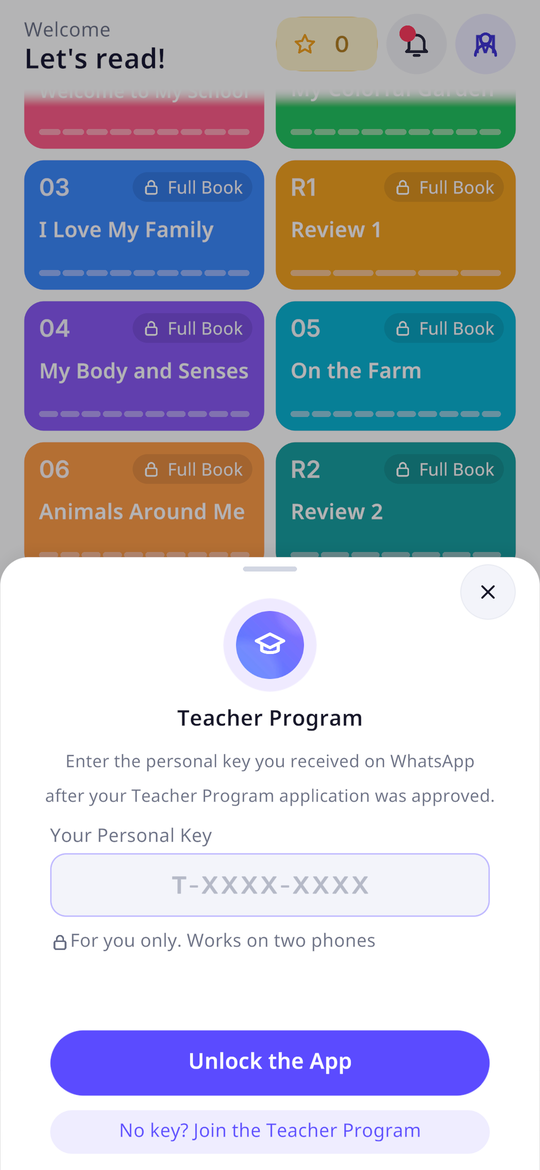
Open the teacher card and enter your key
Copy the key from the WhatsApp message, paste it, then tap “Unlock the App”.
- 3
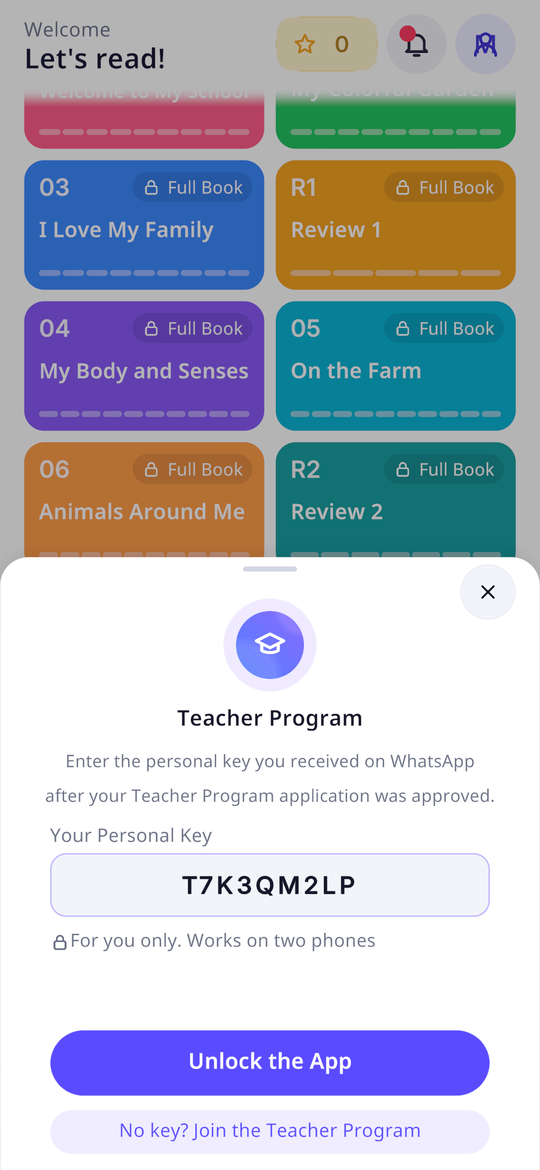
The full app is unlocked
Every unit, every worksheet and Sara’s AI conversations, on this phone.
- 4
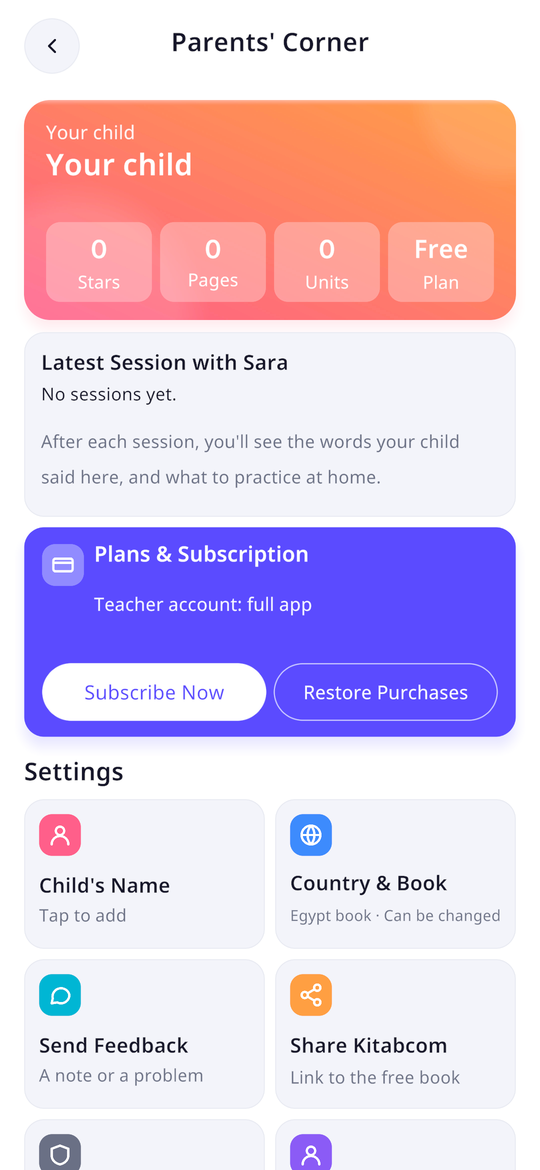
Check in the Parents’ Corner
It shows “Teacher account: full app” and the teacher card as active, in your name.
3 Give Parents Your Code
A ready-made message for parents (for your class WhatsApp group, for example):
Copied ✓
4 In Class
Print Your Class’s Book
The Egypt and Iraq books and the Kitabcom levels are free PDFs. Point the app’s camera at a page and it talks.
Worksheets for Every Topic
Every topic has ready-to-print worksheets, and every sheet talks in the app, with Sara explaining it in Arabic.
Pronunciation with Sara
A child says the word, and Sara listens and corrects their pronunciation. Try it in front of the class, then set it as homework.
Homework
Send parents the page number or the worksheet, and children review it at home with audio.
Your Earnings
- You earn 20% of the net value of every payment from every family that entered your code, for every month or year they renew, for as long as they stay subscribed.
- We pay you once a month (CliQ, e-wallet or international transfer) once your balance reaches 10 dinars.
- Ask for your statement at any time by replying to the WhatsApp message.
Troubleshooting
The app says “This key isn’t valid”
Copy the key exactly as it appears in the WhatsApp message (the dashes don’t matter). It always starts with the letter T.
“This key is already active on two phones”
A key works on two phones only. For a new phone, reply to the WhatsApp message your key came in, and we’ll free up the old one.
“This key has been cancelled”
A key is cancelled if it reaches someone else. Reply to the WhatsApp message and we’ll send you a new key once we’ve confirmed it’s you.
Do I always need the internet?
The app checks the key each time it opens online. Offline, it stays fully unlocked for 30 days, but Sara and pronunciation checks always need the internet.
I deleted and reinstalled the app
Enter the key again in the teacher card. It’s the same phone, so it usually isn’t counted as a second phone; if it doesn’t work, reply to the WhatsApp message.
When do I get my earnings?
Once a month, 45 days after a family’s payment (once Google pays us), when your balance reaches 10 dinars or more.
Program Rules
- The key is yours alone. If it reaches anyone else it will be cancelled, and we’ll send you a new one once we’ve confirmed it’s you.
- The code is for real parents only: fake accounts cancel the code and its earnings.
- For help, reply to the WhatsApp message your key came in.